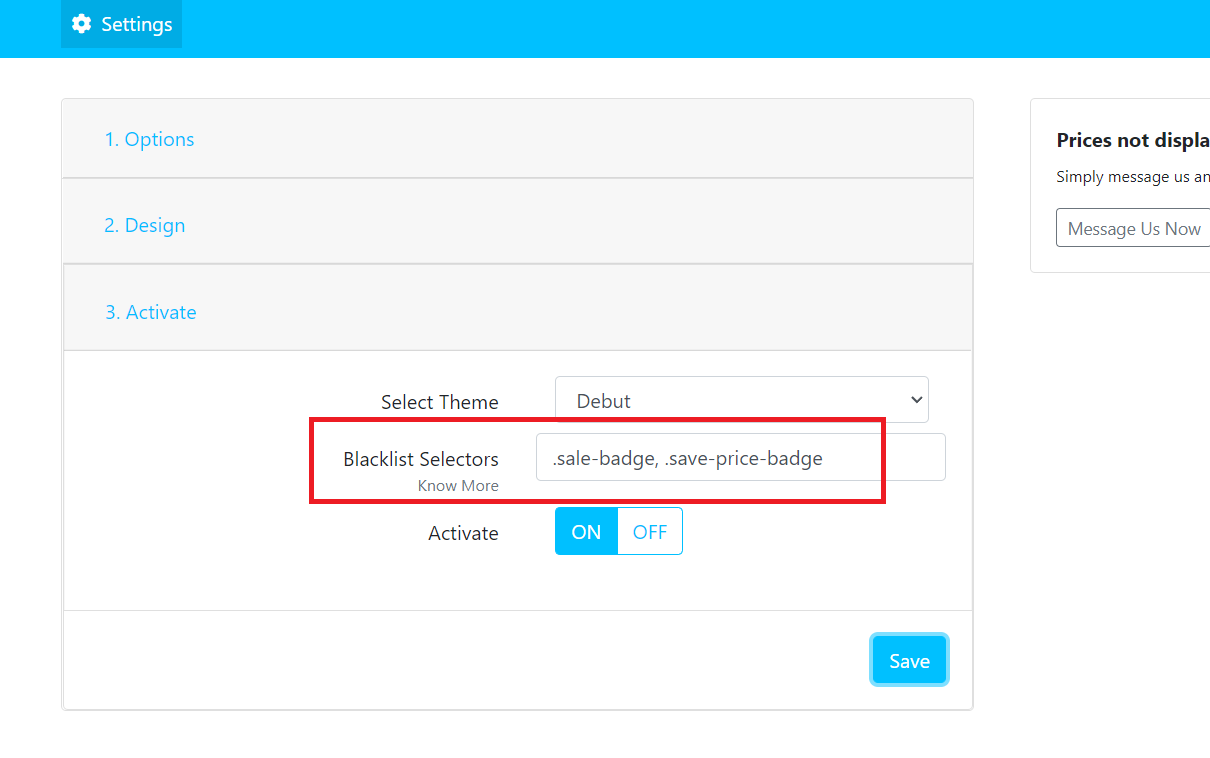
The Blacklist Selector feature lets you exclude specific elements on your storefront from displaying dual prices. This is useful when you want certain areas of your theme to continue showing the original price format.
Simply provide a list of CSS class selectors or ID selectors used by your theme, and the app will ignore those elements when rendering dual prices.
Example
If your theme uses the following selectors to display prices:
.product-card-price
#featured-product-price
Add these selectors to the Blacklist Selector field, and the app will not display dual prices for those elements.
Common Use Cases
The Blacklist Selector is especially useful for excluding prices displayed in:
- Custom theme sections
- Third-party app widgets
- Quick view or popup windows
- Featured product sections
- Product recommendation blocks
- Cart drawer or mini cart
- Any other theme-specific components
This allows you to keep your storefront's pricing display exactly where you want it while preserving the original price format in selected areas.