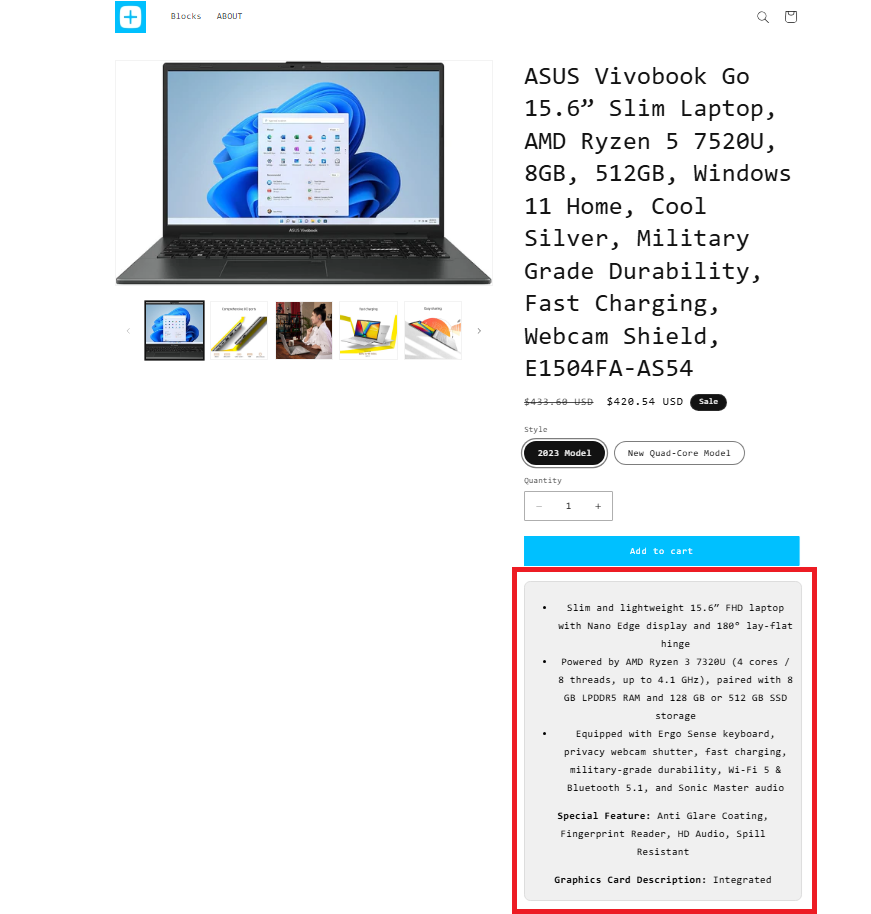
The Variant Description Block lets you display unique descriptions for each product variant directly on your Shopify product pages.
Whether you want to highlight size details, colour differences, materials, short descriptions, or special usage notes, you can show the right information automatically when a customer selects a variant.
Benefits
- Display variant-specific product information
- Help customers understand the differences between variants
- Reduce confusion and build buyer confidence
- Improve the shopping experience and increase conversion rates
With the Variant Description Block, every variant gets the information it deserves, helping customers make faster and more informed purchasing decisions.
How does it works ?
Setting up Variant Descriptions is simple and seamless. Here’s how to get started
Step 1: Setup the metafield
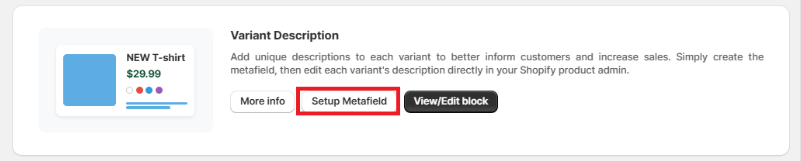
1. On your app dashboard homepage, locate the "Variant Description" block.
2. Click on "Setup Metafield" to automatically create a variant-level metafield called neo.variant_description.
Step 2: Add descriptions to each variant
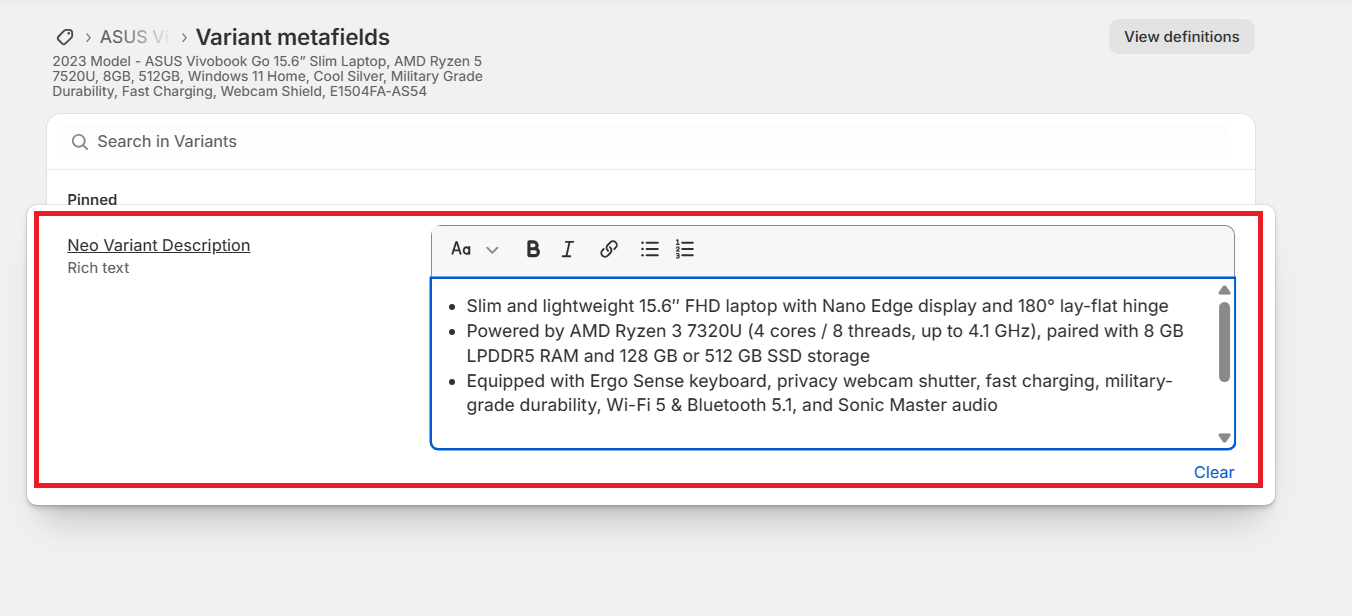
1. Go to your Shopify admin and navigate to the specific variant you wish to edit.
2. Scroll down to Metafields and look for "Neo Variant Description".
3. Enter the text you want displayed on your product page – for example, specific features, color notes, or sizing instructions.
Step 3: Save your changes
Click "Save" to ensure your variant descriptions are updated in Shopify.
Step 4: Customize your product template.
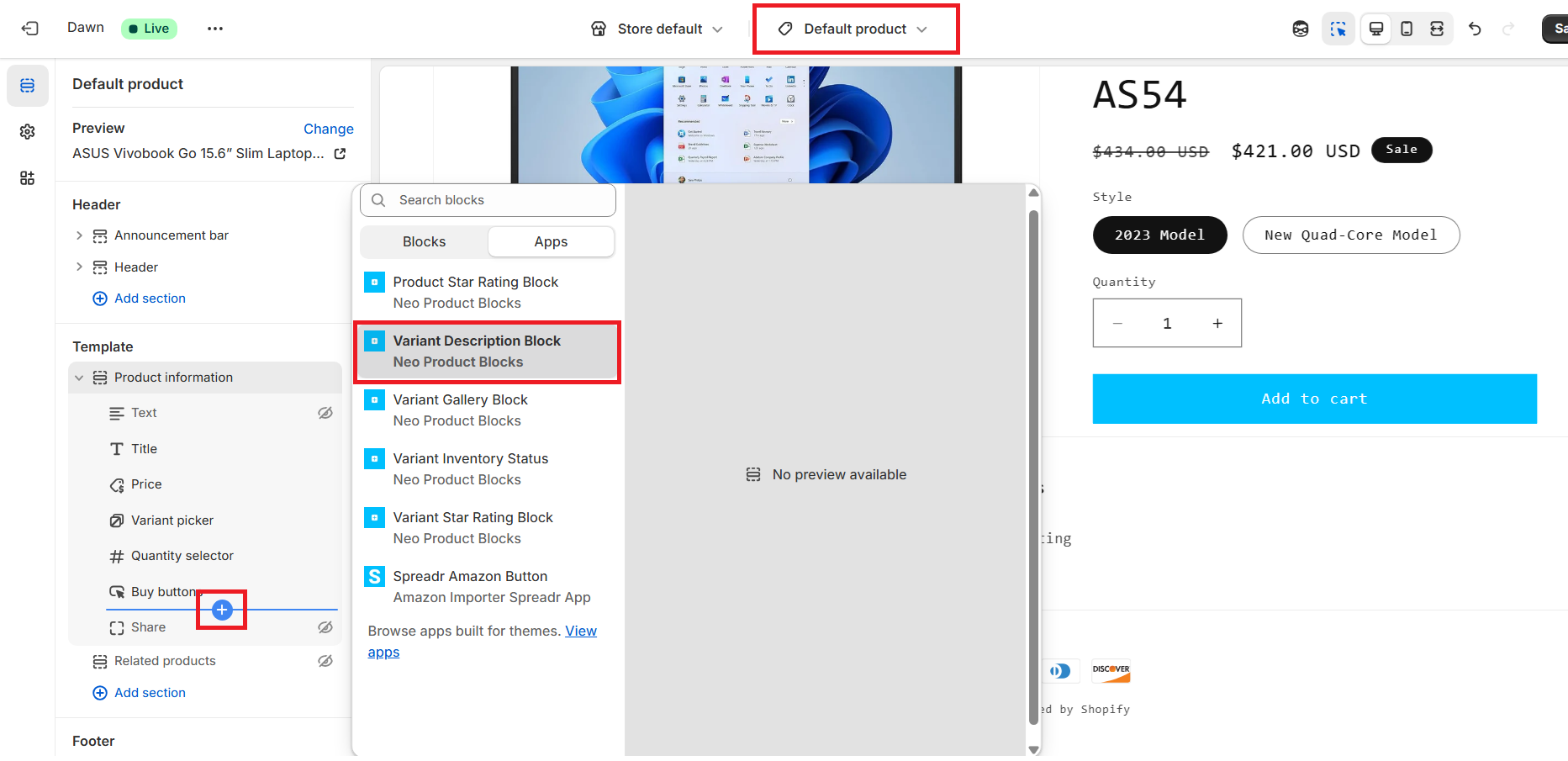
Go to "customize theme settings" > Select the Product template > Add and place the "Neo variant description block" as per your requirement.
Step 5: Apply the styling to match your theme
Within the block settings: Adjust font size, style, and color, custom CSS for advanced styling. Preview changes to ensure it blends seamlessly with your store design.
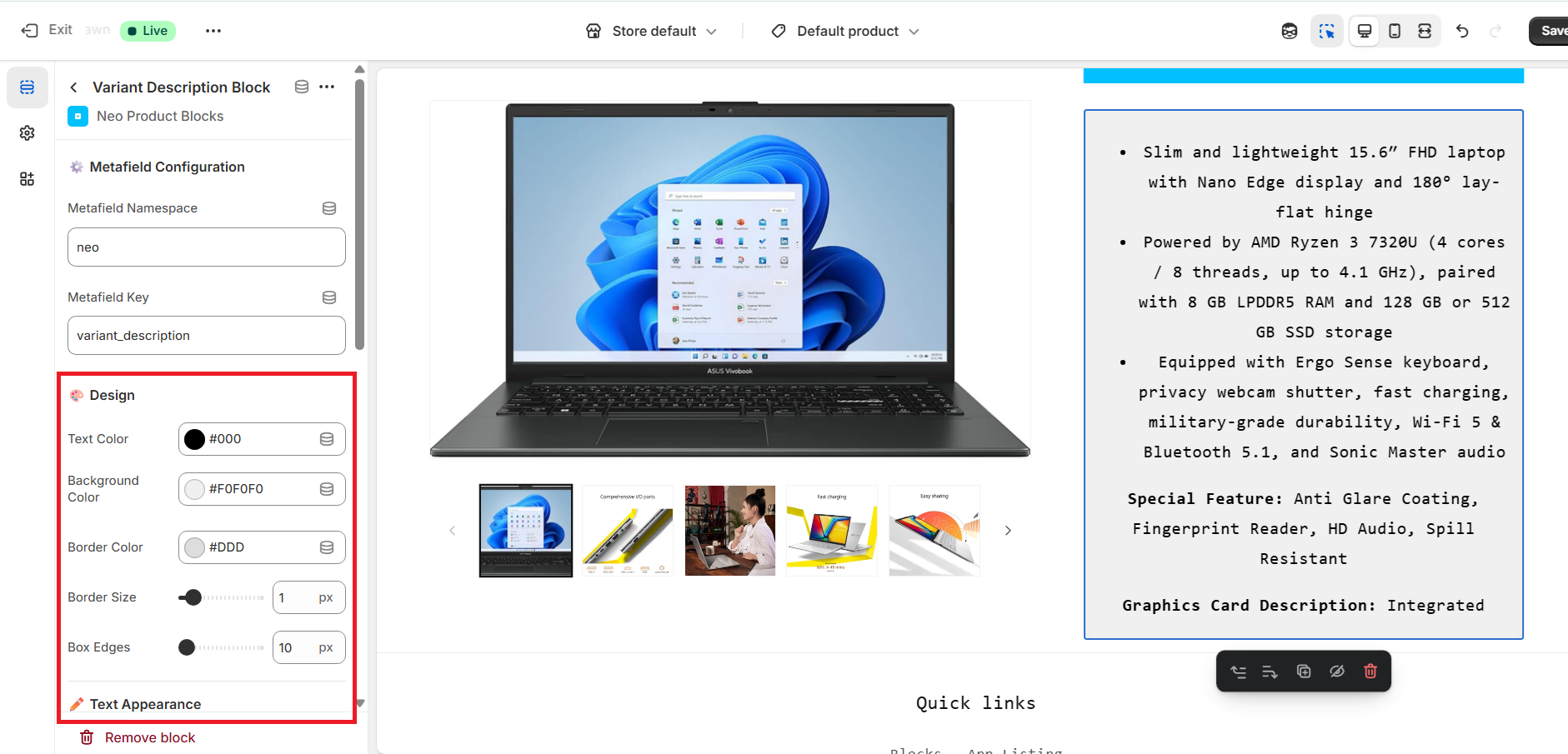 Step 6: Publish it.
Finally, hit “Save” to publish your updated product pages.
Sample Block preview :