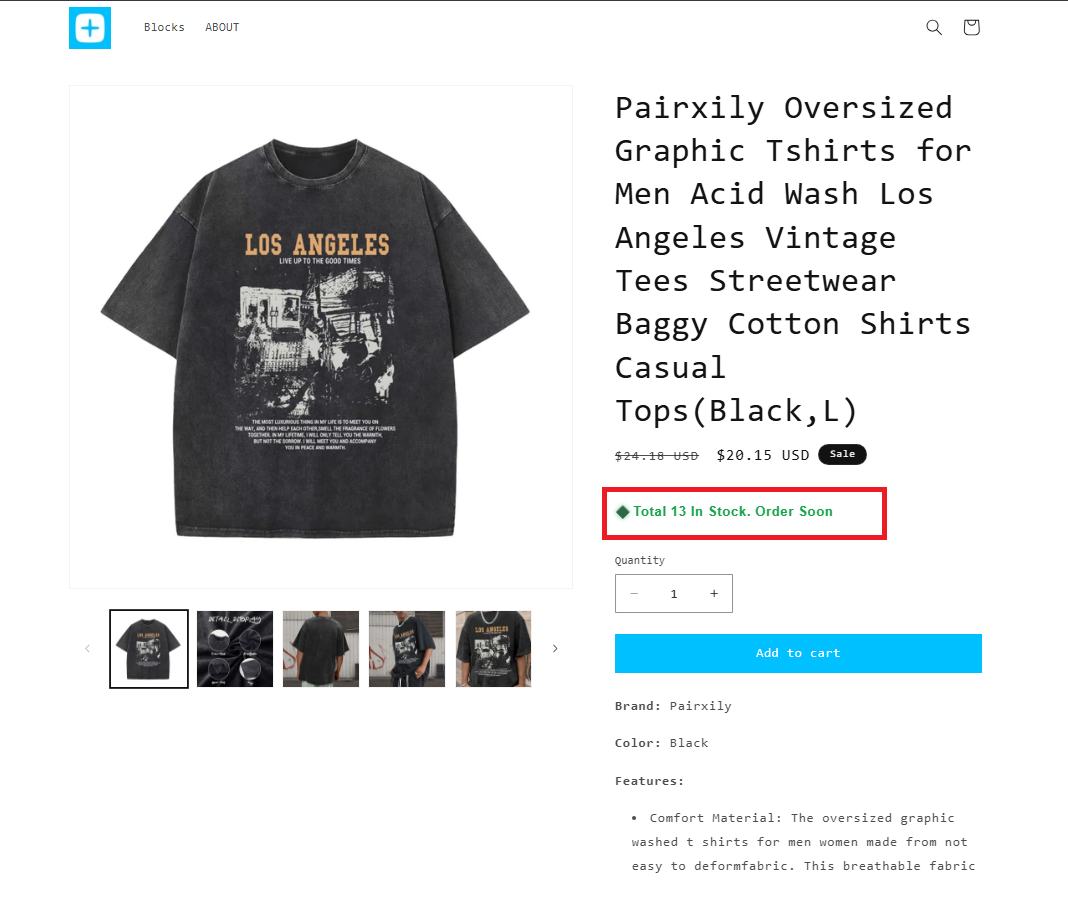
The Variant Inventory Status Block displays real-time stock status for each product variant based on inventory levels.
Instead of showing a generic stock message, you can automatically display custom statuses such as "Ready to Ship," "Low Stock," or "Out of Stock" based on predefined inventory thresholds.
Benefits
- Display variant-specific inventory status
- Show real-time stock messages based on available quantity
- Create urgency with Low Stock alerts
- Set clear expectations for customers before they purchase
- Improve the shopping experience and encourage faster buying decisions
With the Variant Inventory Status Block, shoppers always see accurate stock information for the exact variant they've selected.
How does it work?
Step 1: Add the block in your theme editor
- Go to Online Store → Customize
- Open your Product template
- Click “Add block” and select Neo – Variant Inventory Status
- Position the block wherever you’d like it to appear on the product page.
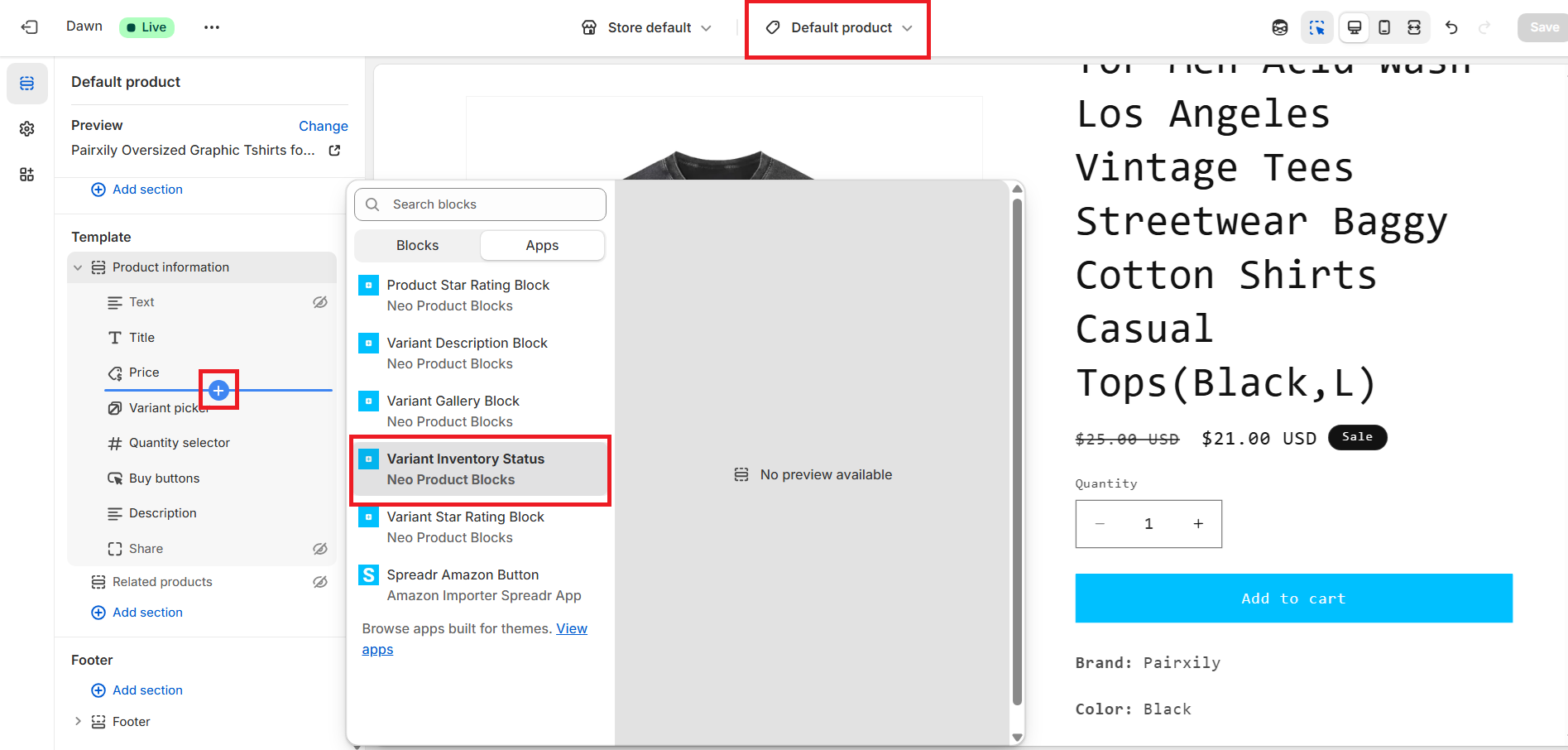
Step 2: Configure the block settings
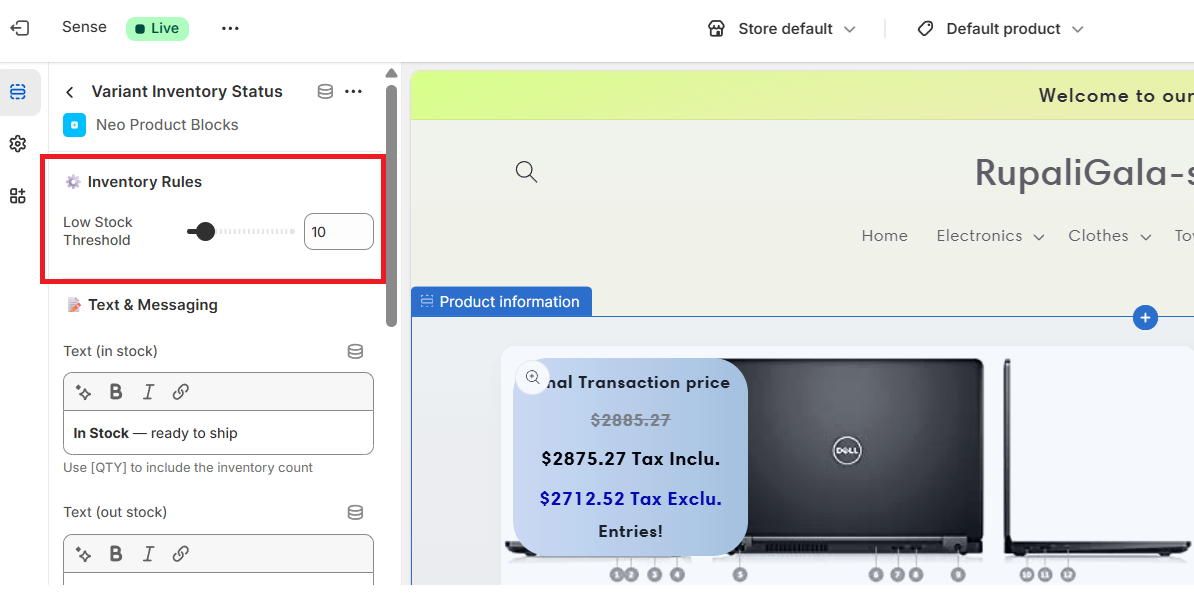
Inside the block settings panel, you can:
- Set threshold values to determine when to show:
- Low Stock
- In Stock
- Out of Stock
- Customize messaging for each status (e.g., “Out of Stock — check back soon”)
- Style the block by adjusting:
- Text color, font size
- Alignment
- Animations or highlight effects
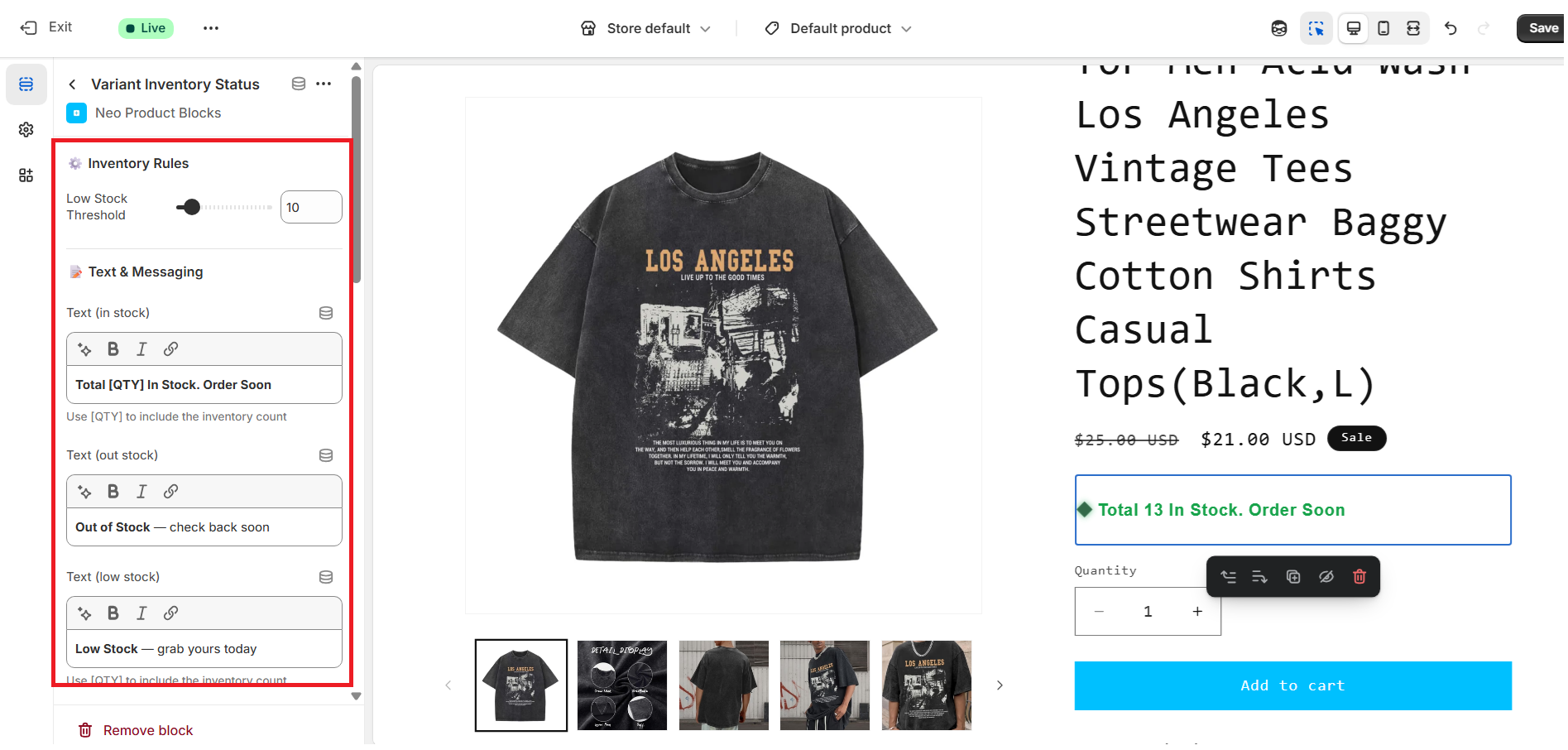
Preview your changes live to ensure the look and position match your store’s design.
Step 3: Save & Publish
Once everything looks good:
- Click Save in the theme editor
- Your updated product pages will now display variant-specific inventory status automatically based on your configured thresholds.
Sample Block Preview: