The In-App Statistics feature lets you track the performance of your Outlinks directly from the Outlink dashboard.
With In-App Statistics enabled, you can monitor how customers interact with your Outlinks by viewing the number of times they are displayed and clicked. These insights can help you understand customer engagement and optimize your campaigns.
What You Can Track
Once enabled, the app records the following metrics for your Outlinks:
- Views – The number of times customers view an Outlink.
- Clicks – The number of times customers click an Outlink.
- Click-Through Rate (CTR) – Compare views and clicks to measure how effectively your Outlinks drive engagement.
These metrics are displayed directly within the Outlink dashboard for easy monitoring.
How to Enable In-App Statistics
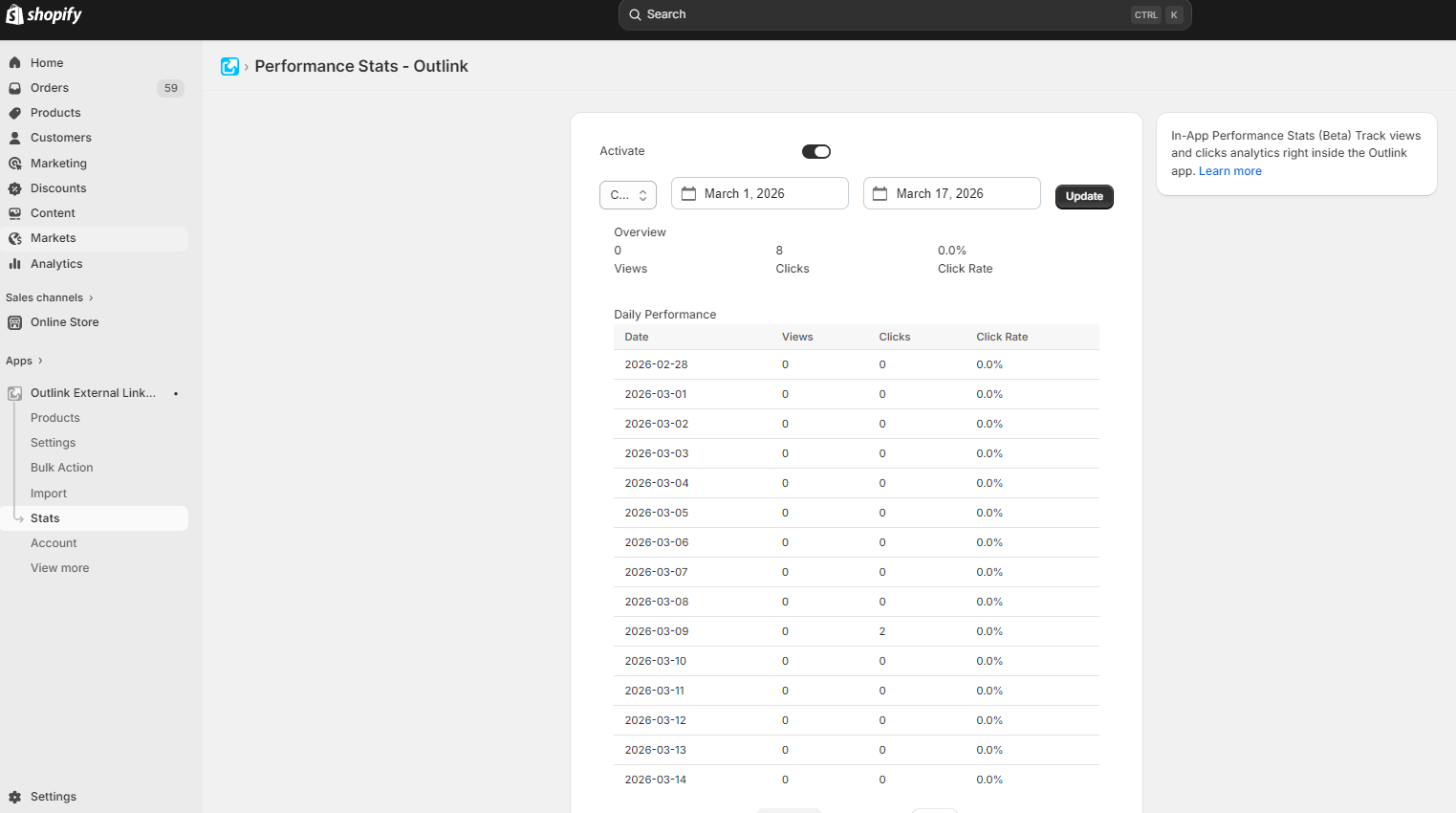
Step 1: Open the Stats Page
From the Outlink Dashboard, navigate to: Stats
Step 2: Enable Statistics
Turn ON the Activate switch to start collecting statistics.
Note
Tracking begins only after the Activate switch has been enabled. Historical data from before activation is not available.

Step 3: View Your Reports
Once data has been collected, return to the Stats page to view your reports.
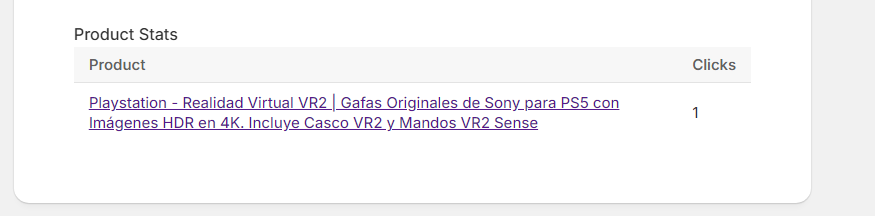
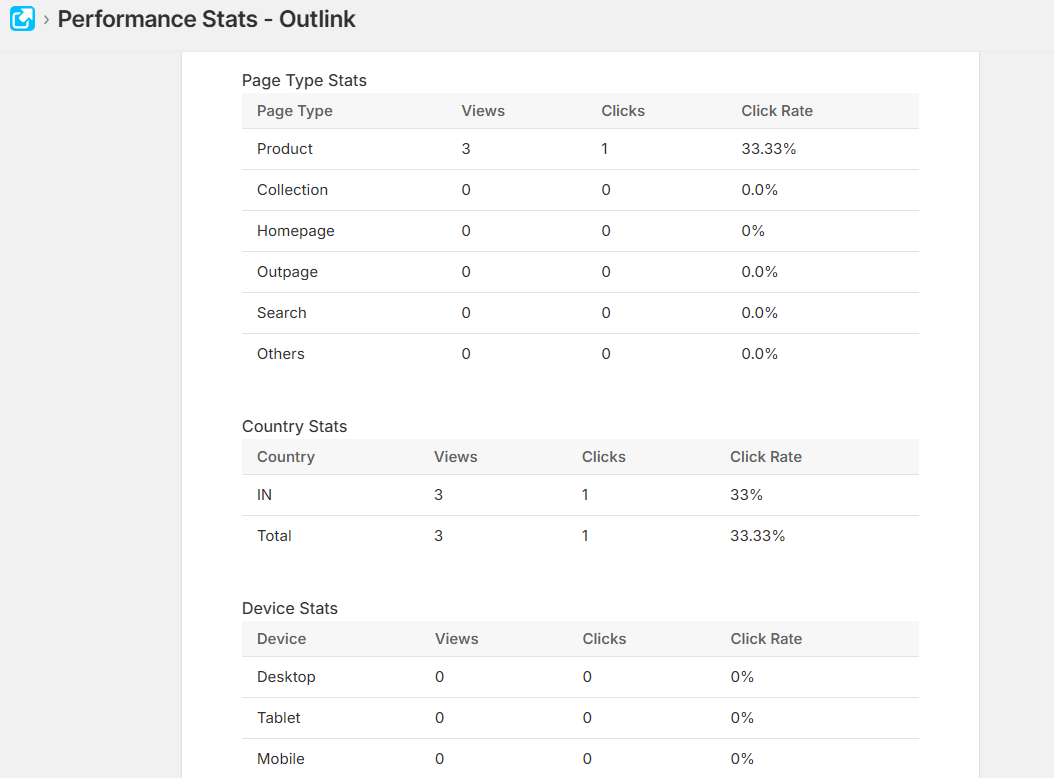
The dashboard will display performance metrics such as:
- Total Outlink views
- Total Outlink clicks
- Click-through performance over time
These insights help you identify which Outlinks are generating the most customer engagement.
Important Notes
Data Retention
In-App Statistics data is retained for 3 months. Statistics older than 3 months are automatically removed from the app.
Plan Availability
The In-App Statistics feature is available on Gold and higher plans.