Yes, you can use your existing variant-level metafield with the Variant Description Block in Neo Product Blocks.
This allows you to manage variant descriptions using your current Shopify metafields without creating a new one.
Setup Steps
- Add the Variant Description Block to your product template:
- Go to Shopify Admin → Online Store → Themes → Customize.
- Open your product template and add the Variant Description Block.
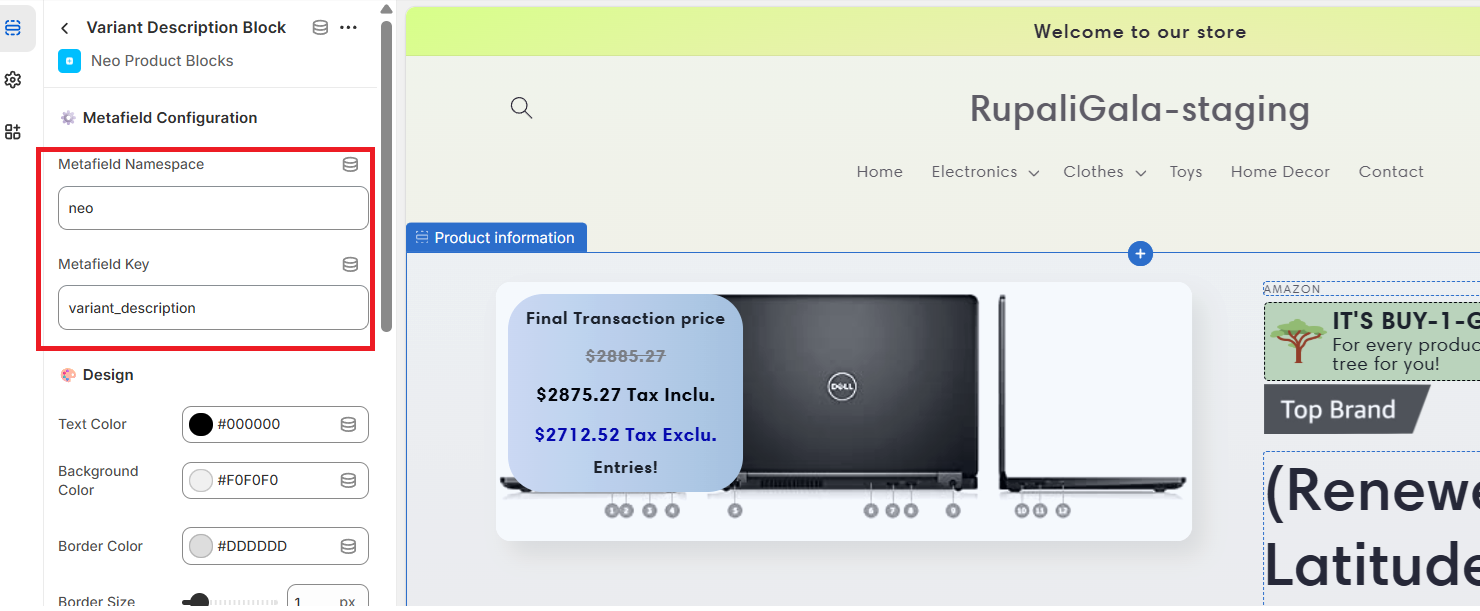
- In the block settings:
- Enter the Namespace and Key of your existing variant-level metafield.
- Once configured, the block will automatically display the metafield content for the selected variant.
Note: The block will only appear when the selected variant has the specified metafield and contains a value.
Note: The block will only appear if the metafield is present and contains a value for the selected variant.
This gives you full control to manage content using your existing metafields without needing to recreate them in the app.