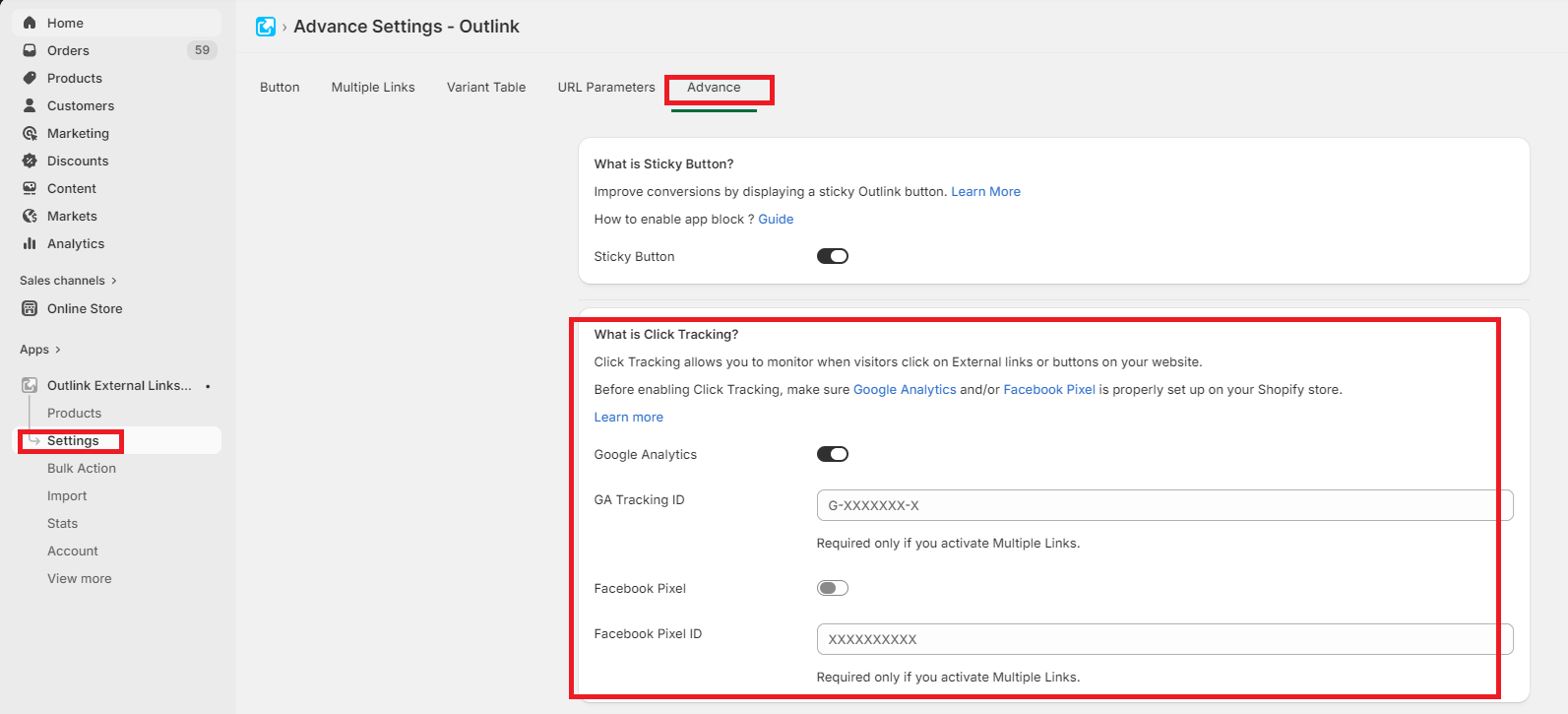
Outlink helps you measure customer engagement by tracking clicks on your external links. Click events are automatically sent to your Google Analytics and/or Facebook Pixel, allowing you to monitor how customers interact with your Outlinks using your existing analytics tools.
Benefits of Click Tracking
With Click Tracking enabled, you can:
- Measure how often customers click your Outlinks.
- Analyze the performance of your affiliate and external links.
- Monitor customer engagement using Google Analytics and Facebook Pixel.
- Use click data to optimize your marketing campaigns and improve conversions.
Requirements
Before Click Tracking can start recording events, ensure that:
- Google Analytics and/or
- Facebook Pixel
are properly installed and configured on your store.
Note
Click Tracking relies on your existing analytics setup. If Google Analytics or Facebook Pixel is not configured, click events cannot be recorded.
Privacy & Data Handling
Outlink is designed with privacy in mind.
- Click data is not stored by the Outlink app.
- Click events are sent directly to your configured analytics platforms.
Important Notes
JavaScript Requirement
Click Tracking requires JavaScript to be enabled in the customer's browser. Browsers that block or disable JavaScript may not record click events.
Reporting Differences
You may notice slight differences between the number of clicks reported in Google Analytics, Facebook Pixel, and your affiliate network dashboard. This is expected, as each platform measures and processes click events differently.
Plan Availability
Click Tracking is available on Pro and higher plans.
Learn More
For detailed instructions on viewing click reports, see:
- How to View Click Tracking Data
- Multiple Link Analytics (for products using the Multiple Links feature)