When fulfilling Shopify orders through Amazon Fulfillment by Amazon (FBA), Shipr lets you choose whether the customer's email address is shared with Amazon.
This setting controls how the Customer Email ID is sent when creating an FBA fulfillment order.
Available Options
Send to Amazon
Select Send to Amazon to include the customer's email address (if available) with the fulfillment request.
This allows Amazon to send the customer:
- Order updates
- Shipping notifications
- Delivery status and tracking information
This is the recommended option for a better customer experience.
Do Not Send to Amazon
Select Do Not Send to Amazon if you do not want the customer's email address to be shared with Amazon.
In this case:
- The customer's email address is not included in the fulfillment request.
- Amazon will not use the provided email for shipment-related communications.
This option may be useful if your business has privacy or compliance requirements that restrict sharing customer email addresses.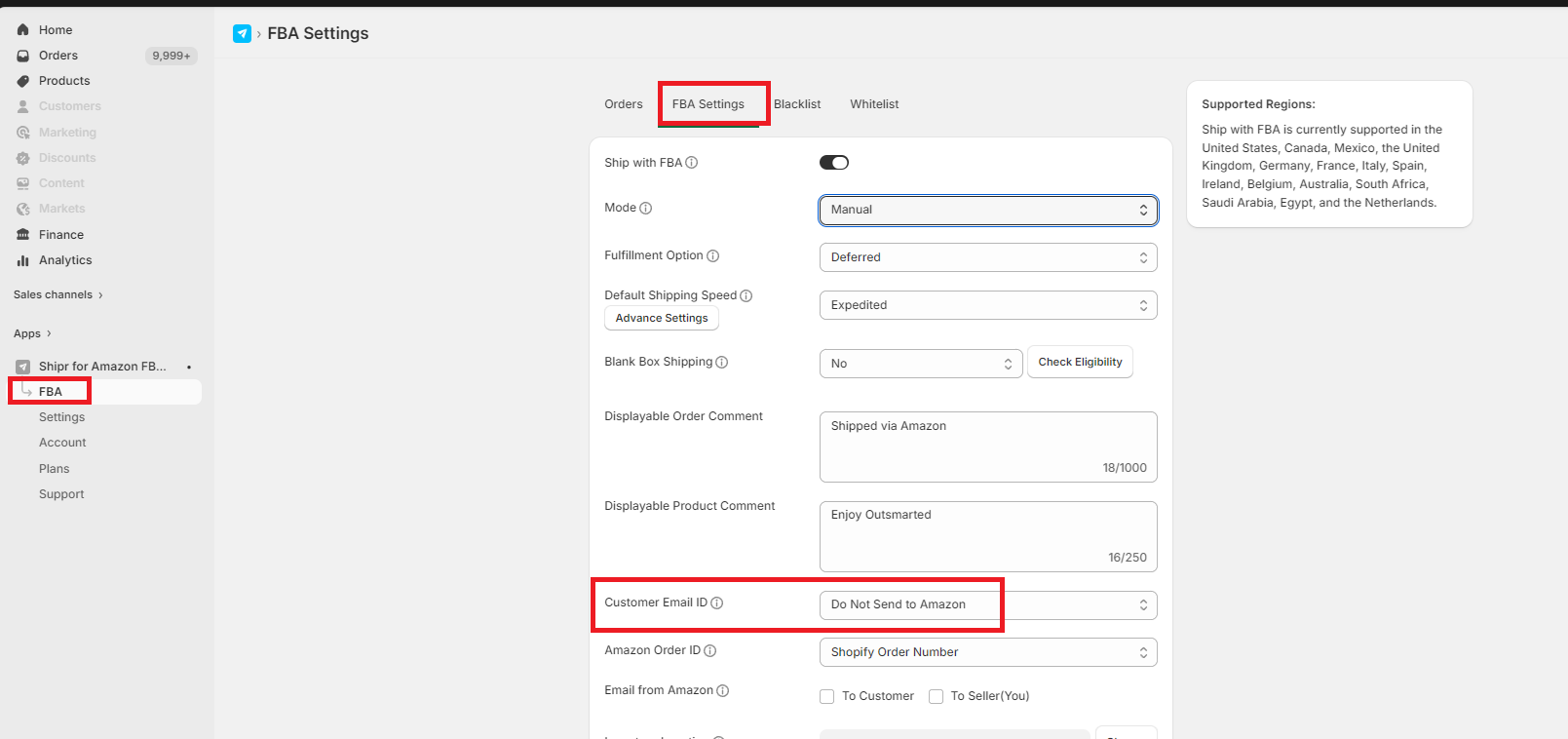
Best Practice
Recommended: Select Send to Amazon to ensure customers receive important shipping and delivery notifications directly from Amazon.
Only choose Do Not Send to Amazon if you have specific privacy, legal, or business policies that prevent customer email addresses from being shared with Amazon.