Shipr allows you to automatically map your Shopify shipping rates to Amazon FBA shipping speeds. This ensures that the shipping option selected by your customer at checkout is used when creating the FBA fulfillment order.
By default, Shipr uses the Default Shipping Speed configured in FBA Settings. However, you can override this behavior by mapping Shopify shipping rate names to Amazon's shipping speed tiers.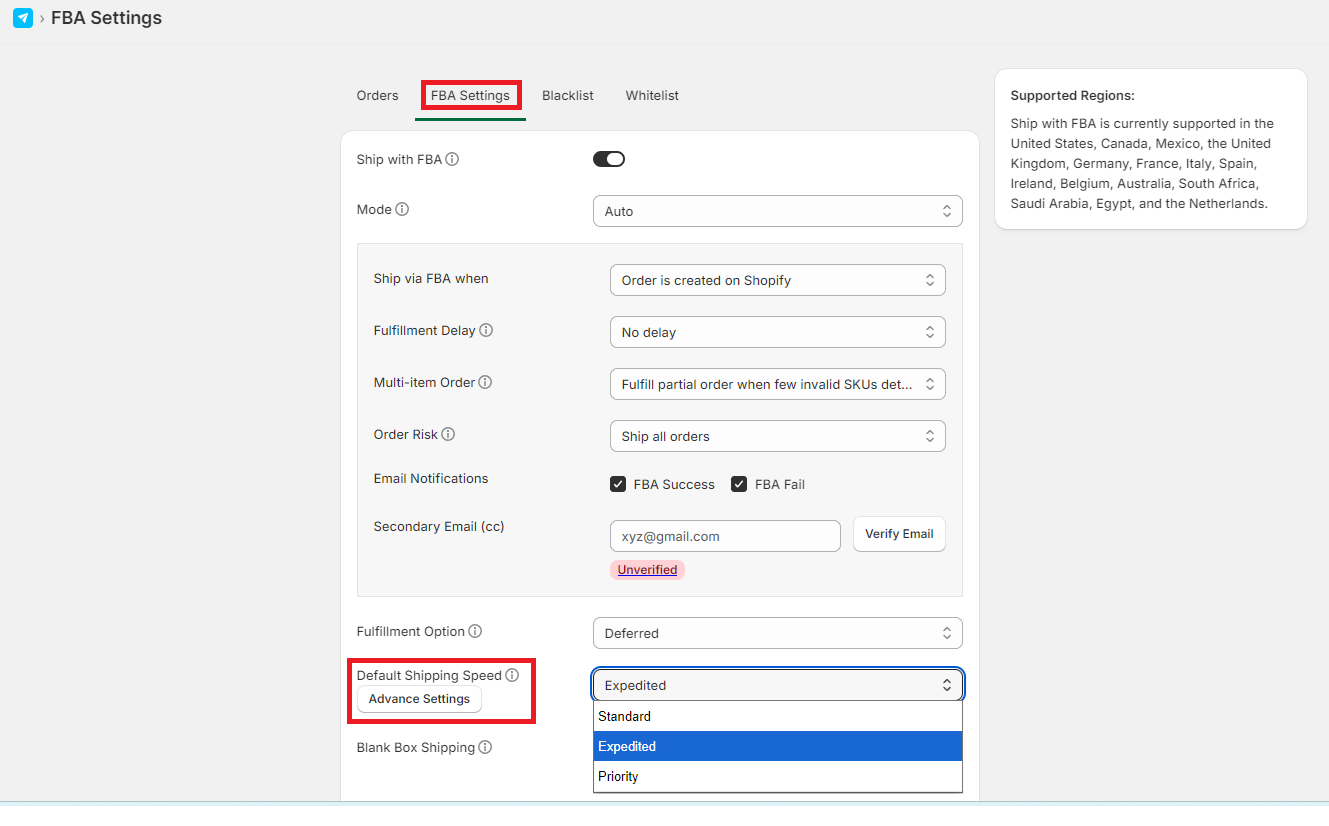
Amazon FBA Shipping Speeds
Amazon FBA supports the following shipping speeds:
- Standard
- Expedited
- Priority
How It Works
When a customer selects a shipping method during Shopify checkout, Shipr looks for configured keywords in the shipping rate name.
If a matching keyword is found, Shipr automatically assigns the corresponding Amazon FBA shipping speed.
Example Mapping
Suppose you create the following shipping rates in Shopify:
Shopify Shipping Rate | Amazon FBA Shipping Speed |
|---|---|
Budget Delivery | Standard |
Optimized Speed | Expedited |
Fast Shipping | Priority |
For example:
- If the customer selects Budget Delivery, Shipr uses Standard shipping.
- If the customer selects Optimized Speed, Shipr uses Expedited shipping.
- If the customer selects Fast Shipping, Shipr uses Priority shipping.
Configure Shipping Speed Mapping
- Create your shipping rates in Shopify Admin.
- Open Shipr → FBA → Settings.
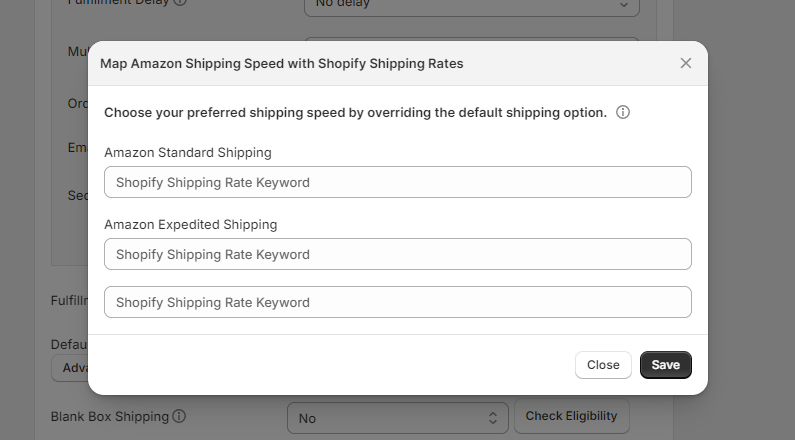
- Click Advanced Settings.
- Enter a keyword for each Amazon shipping speed.
For example:
Amazon Shipping Speed | Keyword |
|---|---|
Standard | Budget |
Expedited | Optimized |
Priority | Fast |
The keyword only needs to be part of the Shopify shipping rate name.
Important Notes
- If no keyword matches the selected Shopify shipping rate, Shipr uses the Default Shipping Speed configured in FBA Settings.
- Multiple Shopify shipping rates can map to the same Amazon shipping speed by using a common keyword.
- Keywords are matched against the shipping rate name, not the shipping price.
Tip: Use simple and consistent keywords (such as Budget, Express, or Fast) in your Shopify shipping rate names to make shipping speed mapping easier to manage.