Shopify locations represent the places where you store inventory, fulfill orders, and manage stock within your Shopify store.
Amazon regions (marketplaces) represent the countries where you sell your products using Amazon FBA.
To use FBA fulfillment and inventory synchronization correctly, each connected Amazon marketplace must be mapped to a Shopify location.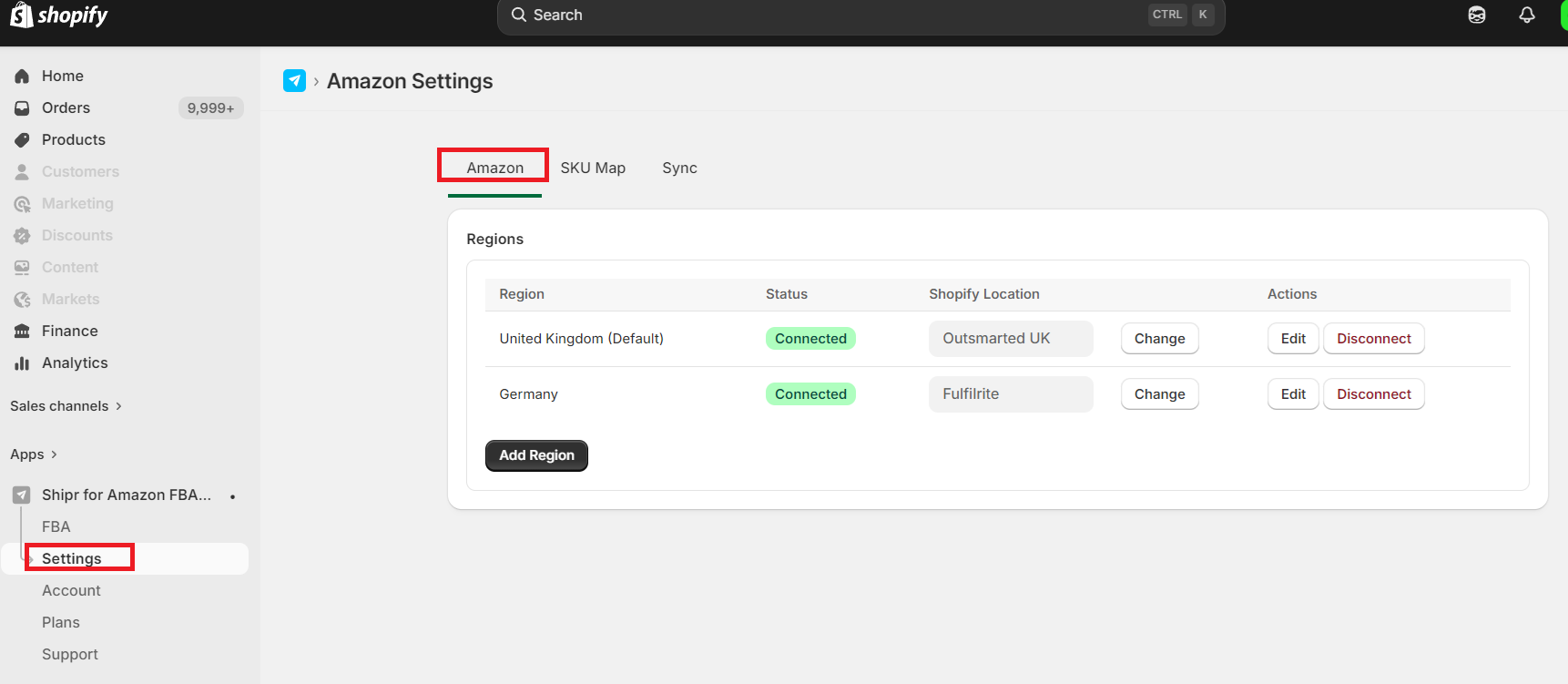
Why Is Location Mapping Required?
Shipr uses the mapped Shopify location for two key features:
1. FBA Order Fulfillment
When Shipr fulfills a Shopify order through Amazon FBA, it automatically associates the fulfillment with the mapped Shopify location.
The mapped location becomes the default fulfillment location for products shipped through that Amazon marketplace.
Tip: If you don't use physical Shopify locations for Amazon inventory, you can create dummy locations (for example, Amazon US or Amazon UK) specifically for Shipr.
2. Inventory Synchronization
When Inventory Sync is enabled, Shipr synchronizes Amazon FBA inventory to the Shopify location mapped to that marketplace.
This allows inventory to remain separate for each Amazon region.
Example
Suppose you sell through:
- Amazon FBA US
- Amazon FBA UK
Create two Shopify locations:
- Amazon US
- Amazon UK
Then configure the following mapping:
Amazon Marketplace | Shopify Location |
|---|---|
Amazon FBA US | Amazon US |
Amazon FBA UK | Amazon UK |
Result
- Orders fulfilled through Amazon FBA US are linked to the Amazon US Shopify location.
- Orders fulfilled through Amazon FBA UK are linked to the Amazon UK Shopify location.
- Inventory synchronization updates each Shopify location independently based on its corresponding Amazon marketplace.
Important Notes
Disable Shopify's native Fulfillment by Amazon service before using Shipr. Leaving it enabled may result in duplicate fulfillments and incorrect inventory synchronization.
Do not map Amazon regions to the Shopify location named Amazon Marketplace Web. Doing so prevents Shipr from fulfilling FBA orders correctly and may stop inventory synchronization.
For more information about fulfilling Shopify orders with Amazon FBA, see Fulfilling Shopify Orders.