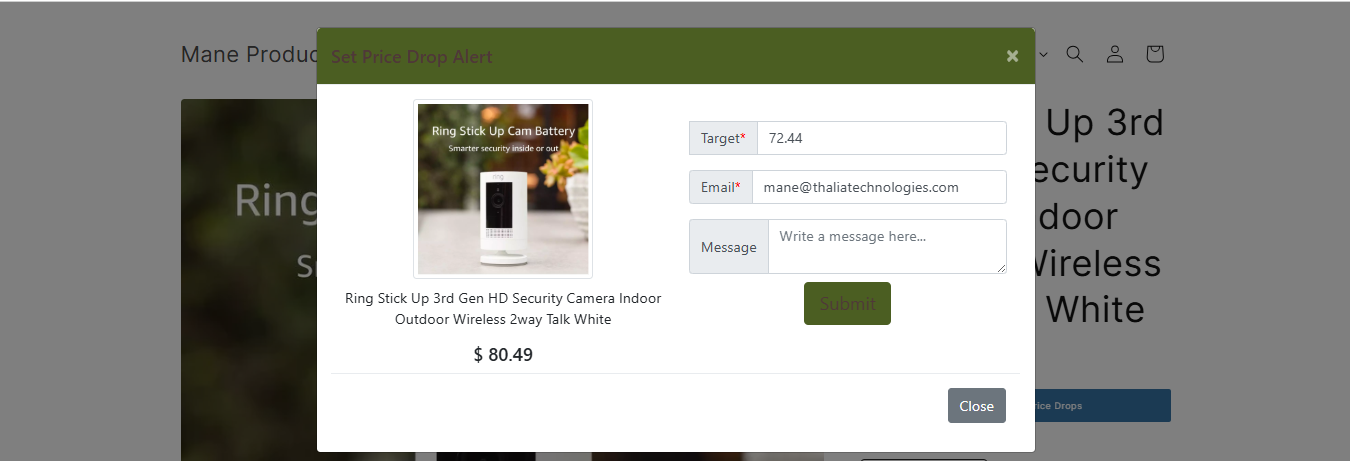
Step 1: Customer Subscribes to a Price Alert
On the product page, the customer clicks the Watch Price button and completes the subscription form by entering:
- Their desired target price
- Their email address
- An optional message (if enabled)
Once submitted, a new price alert request is created.
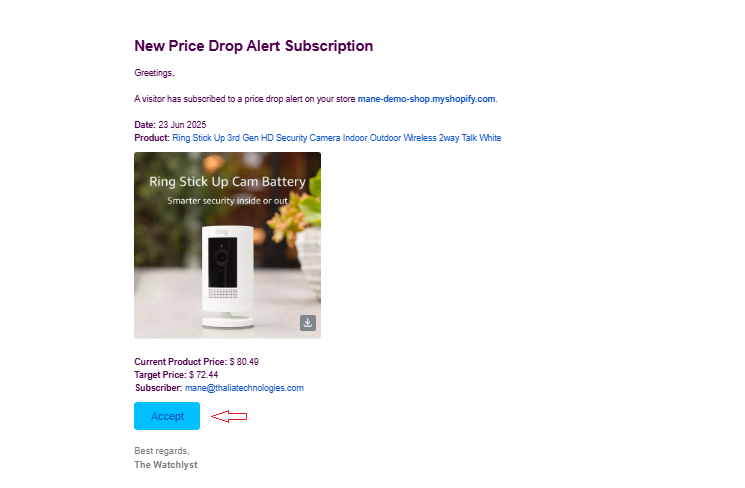
Step 2: Receive the Subscription Notification
When a customer creates a price alert, the store owner receives an email notification.
The email includes an Accept button, allowing you to review and process the customer's request.
Step 3: Review the Customer's Offer
Click the Accept button in the email.
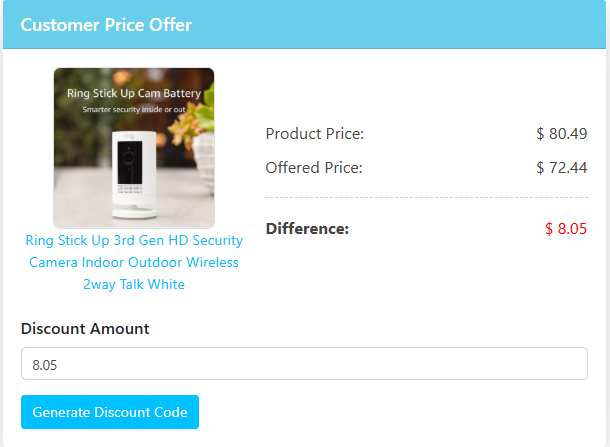
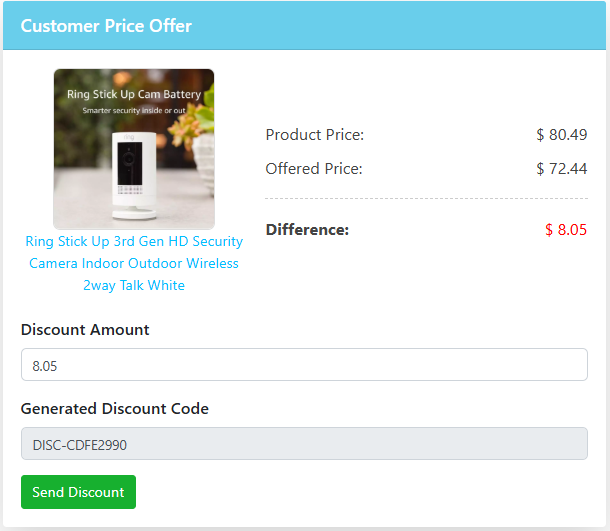
You'll be redirected to the Customer Offer Price page, where you can view:
- The selected product
- The current product price
- The customer's requested target price
This helps you decide whether you'd like to offer a discount.
Step 4: Adjust the Discount Amount
Watchlyst automatically calculates the discount required to match the customer's requested price.
If needed, you can:
- Increase the discount
- Decrease the discount
This gives you complete control over the final offer before generating the discount code.
Step 5: Generate the Discount Code
Once you're happy with the discount amount:
- Click Generate Discount Code.
The app will automatically create a Shopify discount code and display it on the page.
Step 6: Send the Discount Code
Click Send Discount.
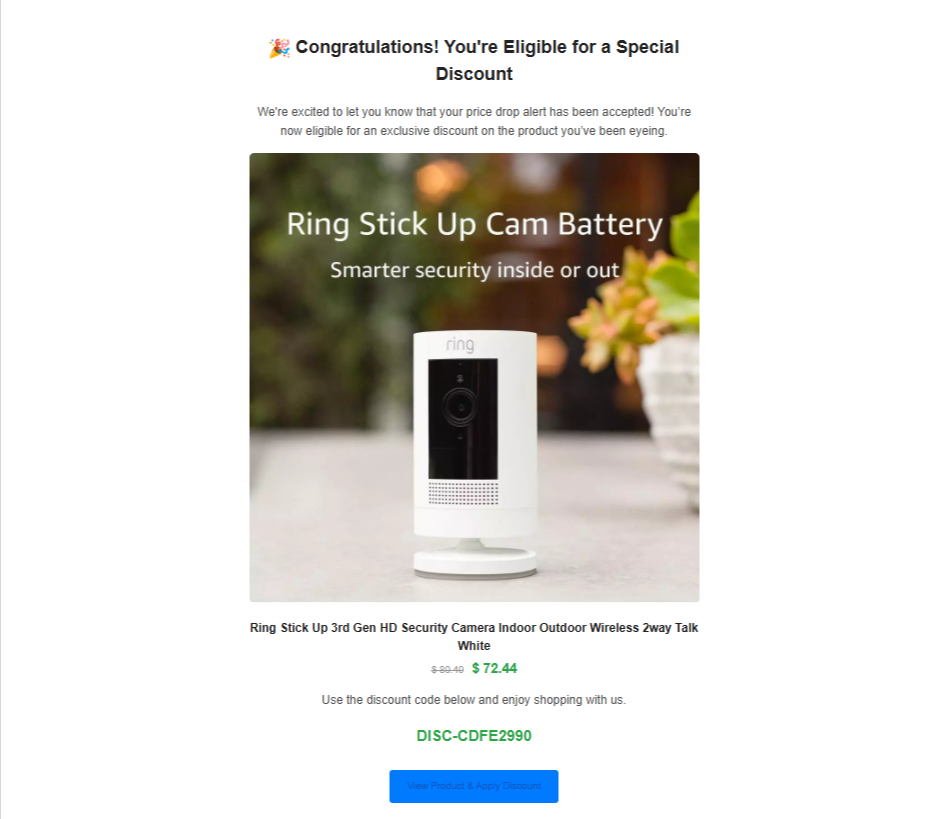
Watchlyst will automatically email the customer with:
- Their unique discount code
- A link to the product
- The personalised offer
The customer can then return to your Shopify store and complete their purchase using the discount code.